Two-step inspect / confirm · GFM README tables and images · optional MSI/EXE launch · zh / en desktop UI
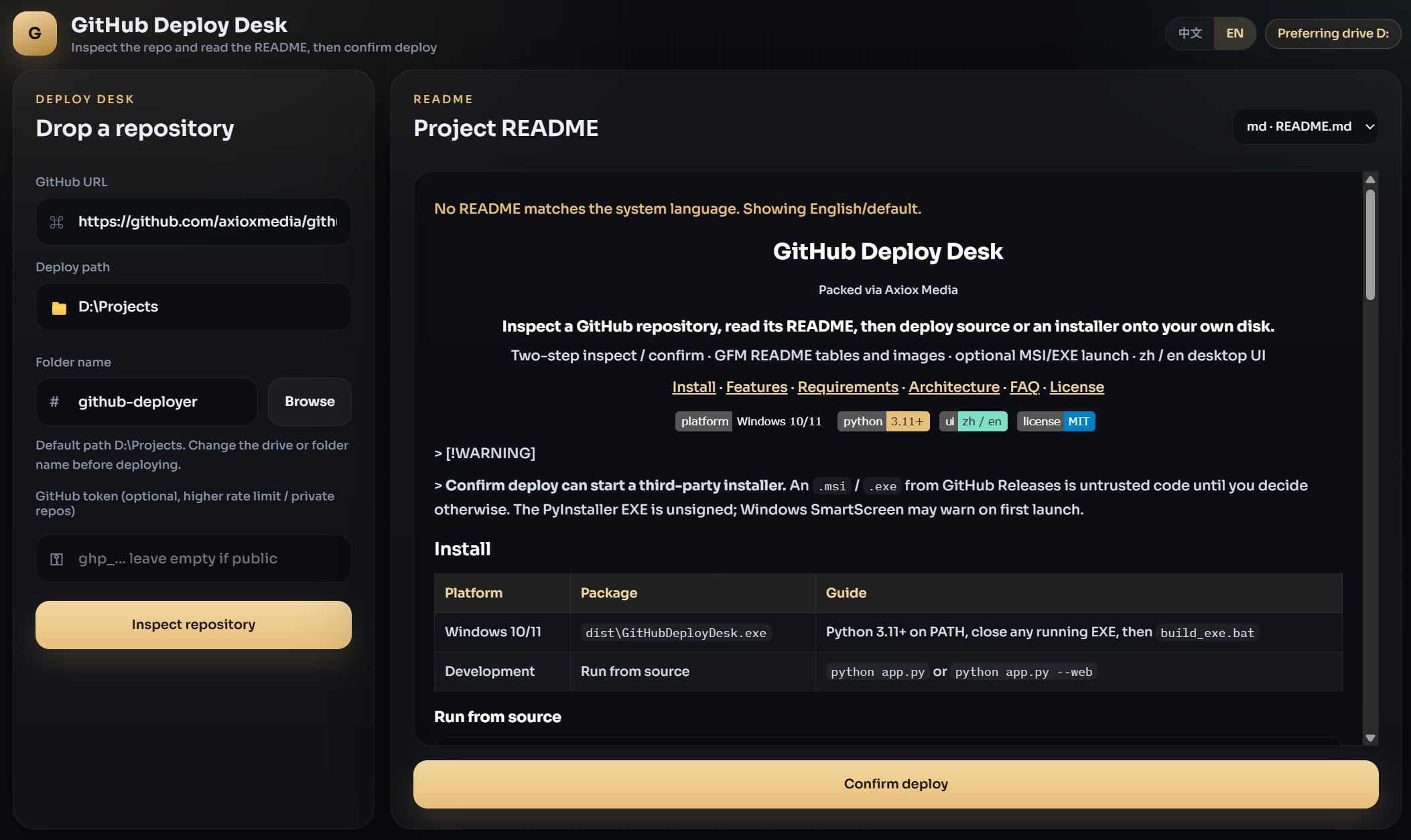
Warning
Confirm deploy can start a third-party installer. An .msi / .exe from GitHub Releases is untrusted code until you decide otherwise. The PyInstaller EXE is unsigned; Windows SmartScreen may warn on first launch.
Platform | Package | Guide |
|---|---|---|
Windows 10/11 |
| Python 3.11+ on PATH, close any running EXE, then |
Development | Run from source |
|
git clone https://github.com/<you>/GitHubDeployDesk.git
cd GitHubDeployDesk
python -m venv .venv
.venv\Scripts\activate
pip install -r requirements.txt
python app.py
python app.py --web serves only the local UI at http://127.0.0.1:8787.
Close GitHubDeployDesk.exe first. The packer deletes the previous binary and will fail with WinError 5 if the file is still open.
build_exe.batOr:
powershell -ExecutionPolicy Bypass -File .\build_exe.ps1Output: dist\GitHubDeployDesk.exe. If the window fails to start, send dist\deploy_desk.log.
Paste a GitHub URL (https://github.com/owner/repo).
Click Inspect repository. The README opens on the right.
Switch README language if the repo ships README_CN.md or README.zh-CN.md.
Set the deploy path and folder name. Drive D:\Projects is preferred when D: exists.
Click Confirm deploy. The README docks below and progress takes the right pane.
If the latest Release contains .msi / .exe, choose install or source. Otherwise the default-branch zip is extracted.
Area | Included |
|---|---|
Inspect first | Repo metadata and README load before any download |
README viewer | Markdown, GFM pipe tables, sanitized HTML, badges, and images |
Language picker |
|
Confirm deploy | README moves to the lower dock; the right pane becomes progress |
Release installers | Detects |
Source extract | Downloads the default-branch zip and strips GitHub's wrapper folder |
Token | Optional GitHub token for private repos and higher API limits |
Desktop UI | Dark glass layout, zh/en switch, window fills the frame |
Local only | Binds |
Minimum | Recommended | |
|---|---|---|
OS | Windows 10 x64 for the EXE | Windows 11 |
RAM | 4 GB | 8 GB |
Disk | 200 MB for the app | SSD plus space for extracted repos |
Python from source | 3.11+ | 3.12 |
Optional | GitHub token | Token when you hit unauthenticated rate limits |
WebView2 ships with current Windows 10/11. No GPU is required.
pywebview desktop window
        │ HTTP on 127.0.0.1
FastAPI + uvicorn
        ├── GET  /api/defaults
        ├── POST /api/inspect
        ├── POST /api/readme
        └── POST /api/deploy        (SSE progress)
static HTML / CSS / JS
axioxmedia.py                      (packer watermark + OS title)
Layer | Path | Responsibility |
|---|---|---|
Window |
| Port pick, uvicorn thread, pywebview, dark title bar |
Brand |
| OS-language window title and packer mark |
API |
| GitHub inspect, README fetch, deploy stream |
UI |
| i18n, README render (tables + images), two-step flow |
Pack |
| Onefile EXE with |
The windowed EXE has no console. ensure_stdio() and log_config=None keep uvicorn from crashing when sys.stderr is None.